
Kompres gambar
Efisiensi kerja
Ubah ukuran dan kompres massal di browser.
Pin aplikasi ini ke Home. Buka dari Home setelahnya.
Tentang aplikasi ini
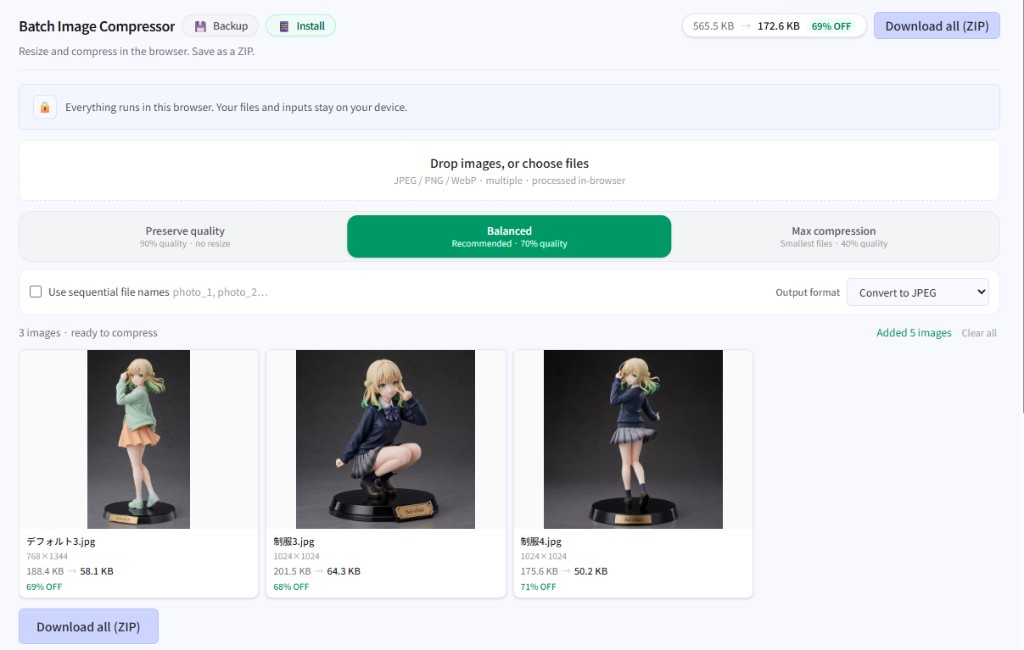
Batch-resize and compress images before blog posts, decks, or chat uploads. Set max width and quality (or a preset), process many files at once, and download a ZIP.
Images never leave your device. Only your compression settings are remembered for next time.
Yang bisa Anda lakukan
- JPEG/PNG/WebP batches with quality presets
- Keep original format or output WebP/JPEG; optional sequential names
- Estimated size cues and ZIP download
- Settings saved locally (image bytes are not)
Cara mulai
- Drop or add images.
- Choose a quality preset, output format, and max width if needed.
- Download everything as a ZIP.
Tips
WebP is great for the web; JPEG is safer for compatibility. This tool shrinks—it won’t enlarge beyond the source.
Terakhir diperbarui
10 Juli 2026
Perangkat yang didukung
- Smartphone
- Tablet
- Windows
- Mac