PDF編輯
業務效率
在瀏覽器中完成合併、排序與頁面刪除。
Pin this app to Home. Open it from Home afterward.
About this app
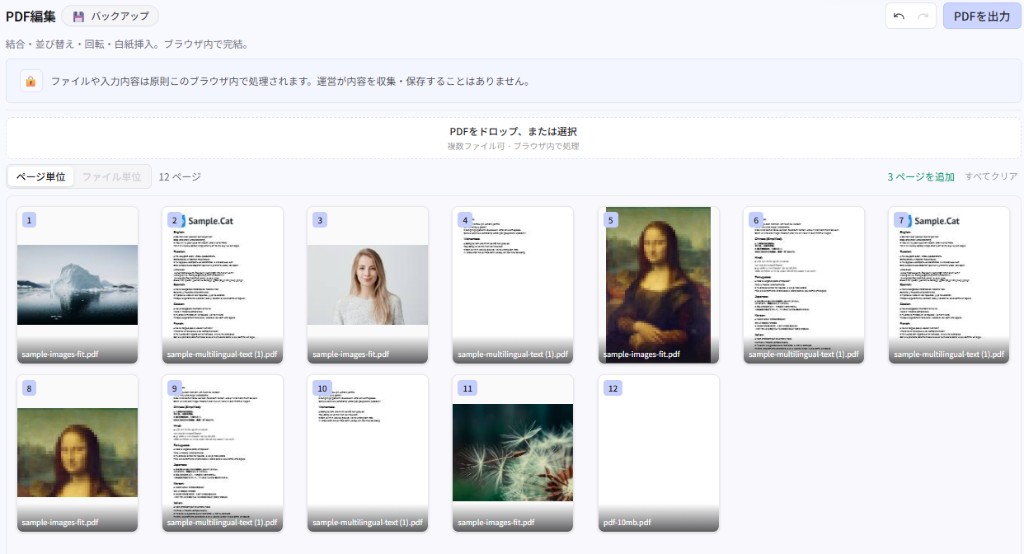
Merge PDFs, fix page order or rotation, and drop pages you don’t need—entirely in the browser, so light cleanup of sensitive docs doesn’t require an upload.
Not a full annotation suite: it’s for tidying pages before you share. Download the result as a PDF.
What you can do
- Add multiple PDFs; page or file views
- Reorder, rotate, delete, copy/paste, extract, insert blank pages
- Undo/redo and download the merged PDF
- No server upload—processing stays in the browser
Getting started
- Drop PDFs or add them with the file picker.
- Reorder, rotate, or delete pages as needed.
- Export the PDF and download the result.
Tip
Changing page structure can lock file-level actions. Work is session-only—export as soon as you’re done.
Last updated
2026年7月28日
Compatible devices
- Smartphone
- Tablet
- Windows
- Mac